

Software for endodontists
Your appointment schedule and each tooth’s clinical record, with its images, sessions and reports.
No credit card required. Works in your browser.
A tooth chart connected to each case.
Use the tooth chart to find treated teeth and open their records. Review an earlier case or start a new one for the same tooth.


Endora screenshots with sample patients.
Diagnosis and treatment follow-up.
The case record brings together the tooth’s diagnosis, measurements and images. Each session keeps its own notes so you can review the treatment and its progress.


- Diagnosis
- Add pulpal and periapical diagnoses, findings and case notes.
- Canals and measurements
- Save working lengths and measurements for each canal by session.
- Radiographs
- Organize initial, treatment and final images within the case.
- Follow-up
- Review the treatment outcome and add notes from follow-up visits.
Appointments connected to the clinical record.
See who is coming in, when and why. Each appointment can link to the patient’s clinical case.
Open the clinical record from an appointment to review the treatment before the patient arrives.


Patient details and medical history
The patient record includes their details, appointments and clinical cases. From there, you can review previous sessions and reports.
Radiographs are stored within each case. You can organize them by stage and compare them in the viewer.


A report for the referring dentist.
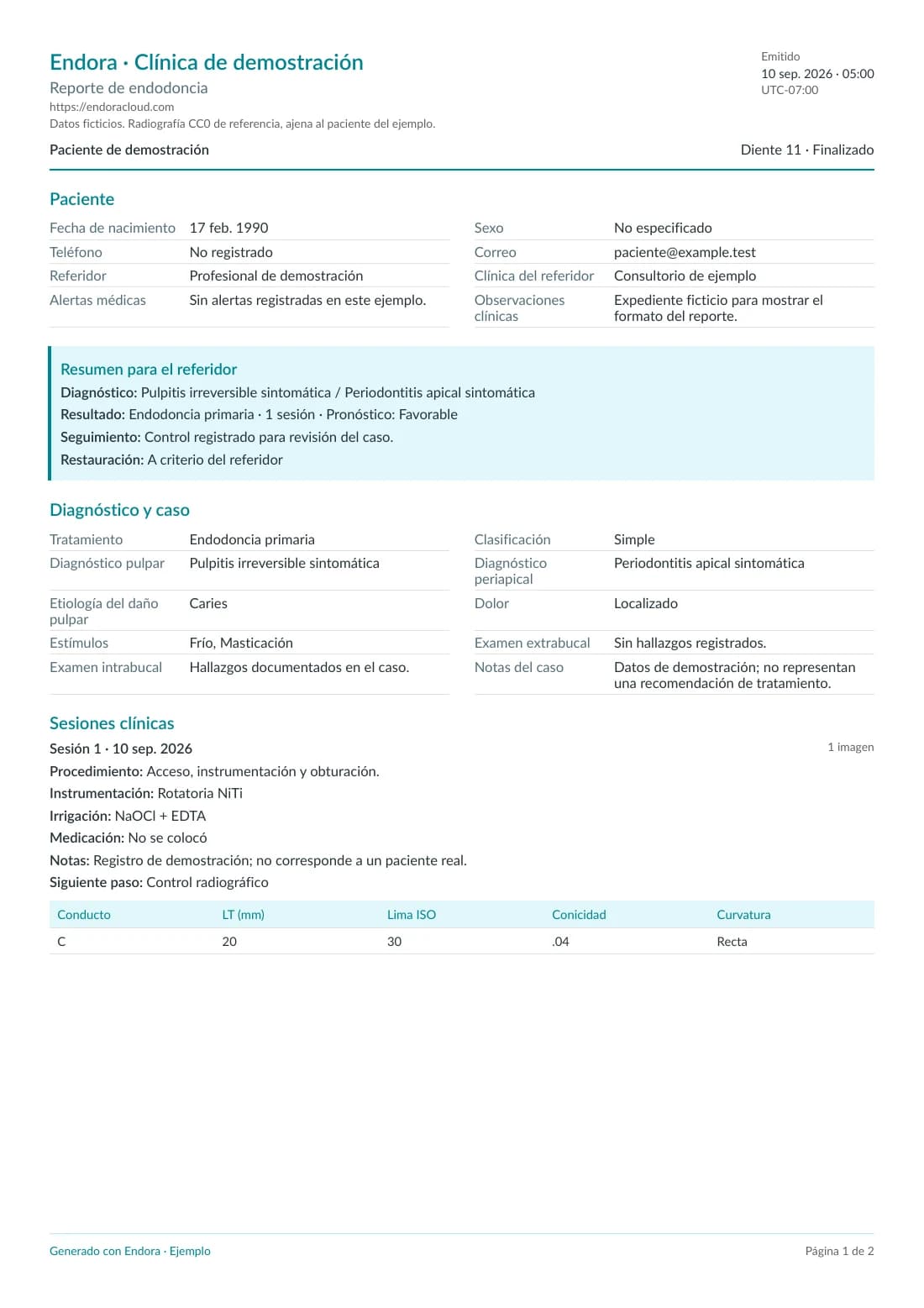
After treatment, complete the case’s final details and generate a PDF report. Endora uses the information from the case and its sessions.
Review the preview, download the PDF or share a link with the referring dentist.
Open sample report (PDF)Spanish-language document with fictional patient data.
Try Endora with a sample patient.
You have 21 days to explore it. Follow these steps to try your everyday practice tasks.
How we protect your dataSchedule an appointment
Create a sample patient and reserve a time. Check the schedule on your phone too.
Open a case
Select the tooth, add a diagnosis and enter measurements and notes for a session.
Add radiographs
Upload sample images to the case and try comparing them in the viewer.
Generate a report
Complete the case’s final details, generate the PDF and check how it looks before sharing it.
Frequently asked questions
Talk to the Endora teamWhat features does it have for endodontics?
You can open cases by tooth from the chart, add pulpal and periapical diagnoses, save canal measurements and add sessions, radiographs and follow-up visits. You can also schedule appointments and generate treatment reports.
Can I use it in Mexico or another country?
Yes. Endora is available in English and Spanish on computers, tablets and phones with an internet connection. You can set your practice’s time zone. Check the plans for prices and currency.
Can I store and compare radiographs?
Yes. Add radiographs to the case, organize them by stage and compare them in the viewer. You can try this with sample images during your free trial.
Do I need a credit card for the trial?
No. You can use Endora for 21 days without a credit card. Check the plans if you want to continue after your trial.
Try Endora in your practice.
Create your account without a credit card. The Endora team can help if you have questions.